What Is the Best Mobile POS System for Businesses?
Choosing a mobile point-of-sale system is no longer just about taking a card beside the register. For a café, market stall, or repair van, it can affect checkout speed, stock visibility, and the customer’s experience. Small details matter: a reader that loses connection during a lunch rush can turn a quick sale into a queue.
Payment habits make flexibility important. The Federal Reserve’s 2024 Diary of Consumer Payment Choice found that cash represented 16% of U.S. consumer payments in 2023. Credit and debit cards together accounted for 62%. The U.S. Census Bureau, meanwhile, estimated that e-commerce made up 16.1% of total retail sales in the fourth quarter of 2024. These reports describe different parts of commerce, but both point to customers using varied ways to pay and shop. That shift matters.
This guide examines the best mobile pos systems for businesses, comparing payment options, transaction costs, inventory tools, hardware, offline functions, and integrations. It also considers how each platform fits real working conditions, from a crowded checkout counter to an outdoor stall with unreliable Wi-Fi. No single system suits every business. A polished dashboard cannot fix unclear pricing, and the cheapest reader may cost more when essential features require add-ons. The right choice depends on sales volume, staff routines, and the tools already in use. Some trade-offs are easy to miss until the first busy weekend.
What a Mobile POS System Is and How Its Hardware, Software, and Payments Work
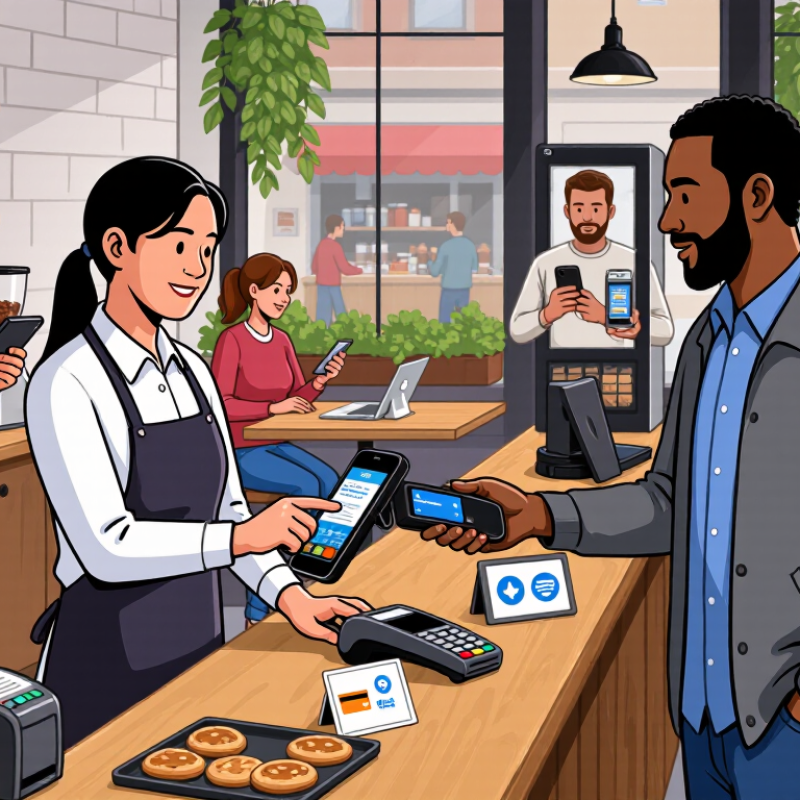
A mobile POS system turns a phone or tablet into a checkout station. It combines a device, payment reader, POS software, and payment processing. The reader captures a tap, chip, or swipe; the software adds items, calculates tax, and records the sale. A payment processor routes the transaction for approval, then returns the result to the screen. Simple in appearance. Several systems must cooperate.
Picture a shop assistant scanning a ceramic mug beside a customer, then accepting a contactless card with a handheld reader. The Federal Reserve’s 2024 Diary of Consumer Payment Choice found that cash made up 16% of US consumer payments in 2023. A 2024 Global Payments Report estimated digital wallets represented 30% of in-person payment value worldwide that year. These figures show why flexible checkout matters, though they do not guarantee every customer prefers phone-based payment. Mobile POS software can also track inventory and send receipts, while cloud syncing helps owners review sales later. The weak point is often ordinary: a low battery, dropped connection, or reader that needs re-pairing. Offline payment features may help, but transactions can remain pending and carry extra risk. Test the setup during a quiet shift before trusting it on a crowded Saturday.
How a Mobile POS Transaction Works
A mobile POS combines an app and device with payment hardware to take an order, calculate the total, and process payment.
The bars show workflow order only—not duration, cost, or performance. The app manages the order and total; a built-in or paired reader captures payment details, which are sent through payment-processing systems for authorization. The POS then records the result and can provide a receipt.
Which Business Needs Matter When Choosing a Mobile POS System
The best mobile POS system is the one that fits the way your business actually works. A café with a crowded lunch counter may need quick checkout, clear order notes, and a battery that lasts through a full shift. A mobile service provider may care more about portable hardware, digital receipts, and reliable payment processing away from the shop. Start with your busiest tasks, not the longest feature list. Small details matter. Check whether the system works with your inventory, staff permissions, and accounting tools. Also ask what happens when Wi-Fi drops; offline features vary, and some transactions may need later review.
Tips: Write down three daily tasks that slow your team down. Test the POS with real orders, including refunds and split payments, before committing. Ask about transaction fees, device costs, support hours, and training. Then let a staff member who is less comfortable with technology try it. Their hesitation can reveal a confusing screen you missed.
Security and dependable support should be part of the decision, not an afterthought. Look for clear information about data protection, software updates, and how to reach help during a busy shift. Consider whether the system can handle seasonal staff or a second checkout point without adding needless complexity. A feature-rich setup can still be a poor fit. I’d question any choice made only from a polished demo; actual work is messier. Start with essential needs, and leave room to reassess as the business changes.
How Payment Trends Guide POS Selection: Cards Made Up 62% of U.S. Payments in 2023 (Federal Reserve)
In 2023, cards made up 62% of U.S. payments, according to the Federal Reserve. That makes card acceptance a sensible starting point when comparing mobile POS systems. It is not a complete buying formula. The figure describes national payment activity, not the habits of every store’s customers. A weekend market stall, a busy café, and a home-service visit can have very different checkout needs. That matters at checkout.
A useful mobile POS should take chip and contactless payments smoothly, then show a clear confirmation. Small delays add up. Check whether the device stays connected on your sales floor and whether it can work through a brief network interruption. Ask how transaction fees, refunds, receipts, and deposits are handled; these details affect daily cash flow. A card reader alone is not a strategy.
Before choosing, test the system with the payment methods your customers actually use. Try a busy-hour scenario: tap a card, issue a refund, and find the sale in the report. Also check battery life, accessibility, and how staff permissions are managed. The 62% figure deserves attention, but local sales records deserve more. A month of checkout data may expose a mismatch that a polished demo hides.
How to Compare Mobile POS Features, Fees, Connectivity, and Security
A mobile POS system should fit the way your business actually works, not just look impressive in a demo. Compare practical features such as item search, digital receipts, staff permissions, and inventory updates. Test them during a realistic sale: find a product, apply a discount, and email a receipt. Small delays add up when a queue forms. Check every fee, including transaction charges, hardware costs, monthly subscriptions, and fees for optional services. A low starting price can hide costs you did not expect.
Connectivity matters in a busy shop, market stall, or delivery van. Ask what happens if Wi-Fi drops, and whether the system can safely record sales offline and sync them later. Test this before relying on it. Security deserves the same attention. Look for encrypted payment handling, individual staff logins, and clear steps for software updates. Limit access to customer and sales data. No system removes every risk, and a rushed setup can leave gaps.
Tips: Compare total costs over a year, not just the advertised monthly fee. Try the device where you plan to use it, including a weak-signal area. Keep a written fallback plan for outages. Revisit your choice after a few weeks; real use may reveal a flaw that the demo missed.
How to Match a Mobile POS System to Business Size, Industry, and Growth Plans
A mobile POS system should fit the way a business serves customers, not just the size of its checkout screen. A solo market vendor may need quick card payments, a clear daily sales report, and a battery that lasts through a long shift. A busy café may need table-side ordering, split payments, and several staff logins. Watch the line at lunch. If staff keep walking back to a fixed counter, mobility may matter more than advanced reports. Small details count.
Tips: Test the system where you work. Check signal strength in a basement or outdoor stall, and ask what happens when the connection drops. Bring a real receipt printer and payment device to the trial. A smooth demo can hide awkward steps.
Growth plans should shape the choice, too. A shop adding locations may need shared inventory and reliable sales data across sites. A service business may care more about appointments, deposits, and customer records. Choose a system that can add users or features without forcing a complete change later. But avoid paying for tools you will not use soon. Forecasts are often wrong, and a feature list does not guarantee an easier workday. Start with the tasks that slow your team down, then compare total costs, support hours, and setup time. A short trial with actual staff can reveal more than another sales call.