

An Industrial Panel Computer is more than a screen bolted to a machine. It is the operator’s daily interface with production: gloved hands tap its display, fans collect dust, and washdowns test every seal. Choosing the right unit for 2026 therefore means looking beyond processor speed. Buyers must weigh display readability, touch response, mounting options, operating temperature, ingress protection, and long-term support.
Market forecasts suggest continued investment in industrial computing. Grand View Research valued the global industrial PC market at approximately $5.3 billion in 2023 and projected a 6.1% compound annual growth rate from 2024 to 2030. This figure covers industrial PCs broadly, not panel computers alone, so it should not be read as a panel-PC sales forecast. Still, it points to a growing market where reliability and integration matter. Industrial networking author John Rinaldi captures the broader challenge: “The IIoT is not about connecting things to the Internet; it is about connecting things to each other.” A panel computer must fit that connected environment without creating new maintenance burdens.
Small details count. A bright shop floor can wash out a low-luminance display. A glove may fail on a touch panel tuned only for bare fingers. This guide compares the features buyers should verify before choosing a model, including real-world durability, connectivity, expandability, and lifecycle support. It also acknowledges a practical limitation: the “best” device depends on the site, workload, and budget. The goal is not to crown one universal winner, but to help 2026 buyers ask better questions and avoid costly mismatches.
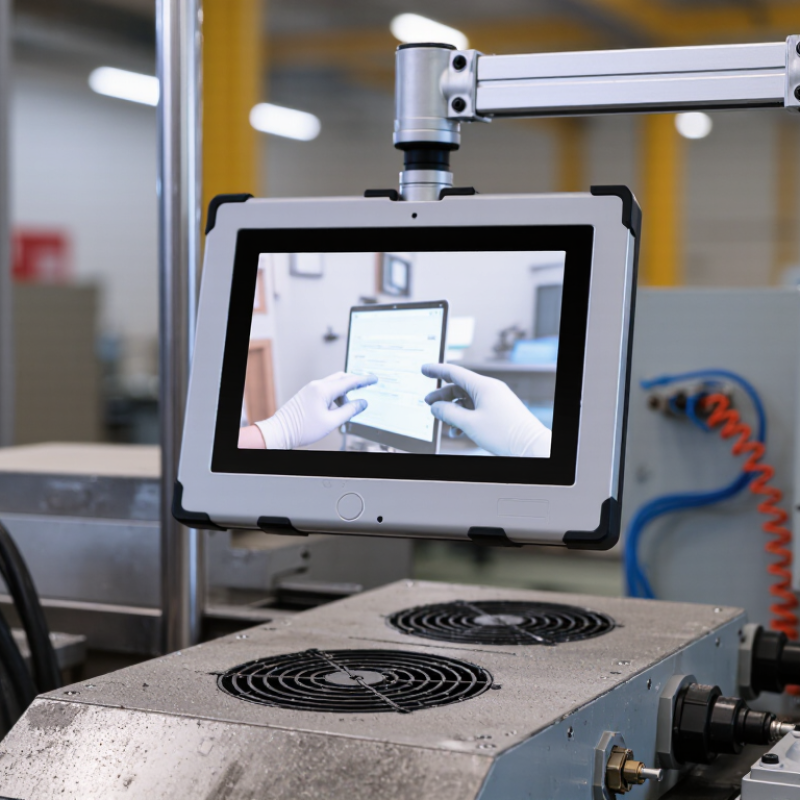
An industrial panel computer combines a display, touch interface, and computing hardware in one installation. Its purpose is practical: let operators view machine data and enter commands near the equipment they control. Unlike an office PC, it may need to run through vibration, dust, temperature changes, or frequent cleaning. Dust gets everywhere.
Design choices should match the actual work area. A sealed front bezel can help keep contaminants away from the panel opening, but the required protection depends on the full installation. Fanless systems reduce moving parts, though they still need a clear path to release heat. A bright screen may improve visibility beside a sunlit loading bay, while glove-compatible touch input can matter on a factory floor. Small details count. Cable routing does too.
Operating conditions are easy to underestimate. Measure temperatures at the mounting location, not just across the room, and consider vibration, moisture, cleaning methods, and available space behind the panel. Check that screen size, connectors, and mounting dimensions fit the existing cabinet. A specification sheet cannot reproduce a real shift; testing a sample in the intended location can reveal glare, awkward reach, or heat buildup. There is no perfect configuration, and even a careful assessment can miss something. That is worth admitting before choosing a system for 2026.
| Application Profile | Typical Display | Processing and Memory | Enclosure and Front Protection | Operating Environment | Common Interfaces | Design Priorities |
|---|---|---|---|---|---|---|
| General machine control | 10.1–15.6 in; projected-capacitive or resistive touchscreen | Entry-level x86 or ARM-class processor; commonly 4–8 GB RAM | Panel mount; front protection commonly IP65 when correctly installed | Typically suited to indoor factory environments; confirm the specified temperature range for the installation | Ethernet, USB, serial ports, and display output; fieldbus support varies by configuration | Balance screen size, mounting depth, touch usability, and compatibility with the control software |
| Compact equipment or machine retrofit | 7–10.1 in; resistive touch can be useful with gloves or a stylus | Low-power processor; commonly 2–8 GB RAM, depending on the application | Compact panel or VESA-style mounting; check cutout dimensions and connector clearance | Appropriate for space-constrained installations; assess vibration, dust, and temperature at the mounting location | Ethernet, USB, and serial communication; optional interfaces depend on the model | Prioritize a small footprint, simple integration, low power draw, and accessible service connections |
| Operator station with rich visualization | 15.6–21.5 in; projected-capacitive touch is common | Mid-range processor; commonly 8–16 GB RAM for more demanding HMI workloads | Panel mount or VESA mount; verify front sealing and the cabinet’s thermal design | Typically used indoors; sunlight readability and viewing angle should be checked for bright work areas | Multiple USB and Ethernet ports; serial and expansion options vary | Consider resolution, application performance, screen brightness, and long-term software support |
| Washdown or wet-process area | 10.1–21.5 in; touch technology should match glove and cleaning requirements | Low- to mid-range processor; select memory and storage for the HMI software workload | Look for a sealed front and suitable enclosure construction; IP ratings apply only under their specified test conditions | Designed for locations exposed to moisture or cleaning procedures only when the complete installation is rated for them | Sealed or appropriately protected connectors may be required; verify cable-entry and mounting details | Review cleaning chemicals, seals, cable routing, drainage, and the protection rating of the installed system |
| Outdoor or high-ambient installation | 10.1–21.5 in; high-brightness options may be needed for direct or reflected sunlight | Processor and memory depend on the application; thermal performance can limit sustained load | Use a suitably rated enclosure and mounting arrangement; display bonding and protective glass are application-dependent | Check the published operating-temperature range, sunlight exposure, condensation risk, and cooling requirements | Ethernet and USB are common; surge protection and sealed cable connections may be needed | Prioritize readable display, thermal management, ingress protection, and protection from UV and condensation |
| Edge monitoring and data collection | 10.1–15.6 in; touchscreen optional if local interaction is limited | Mid-range processor; commonly 8–16 GB RAM when running local services or analytics | Panel or cabinet mounting; allow for airflow and storage replacement access | Depends on workload and installation; assess ambient temperature, vibration, and power quality | Ethernet, USB, serial, and optional wireless or expansion interfaces | Check storage endurance, remote management, network security, and recovery or backup procedures |
Selection note: Specifications shown are typical application ranges, not requirements or guarantees. Confirm the exact processor, memory, display brightness, operating-temperature range, ingress-protection rating, mounting dimensions, certifications, and software compatibility for the chosen unit and installation.